Published in the Chrome Web Store
Rates, gold, IRCC and loan costs, one click away
Open the extension for the financial figures you check often. When comparing a loan, switch to the APR or IRCC payment tab without leaving your current page.
No accountFour languagesLoan figures stay on the device
Version 1.4.1, updated in the Chrome Web Store on 22 August 2026.
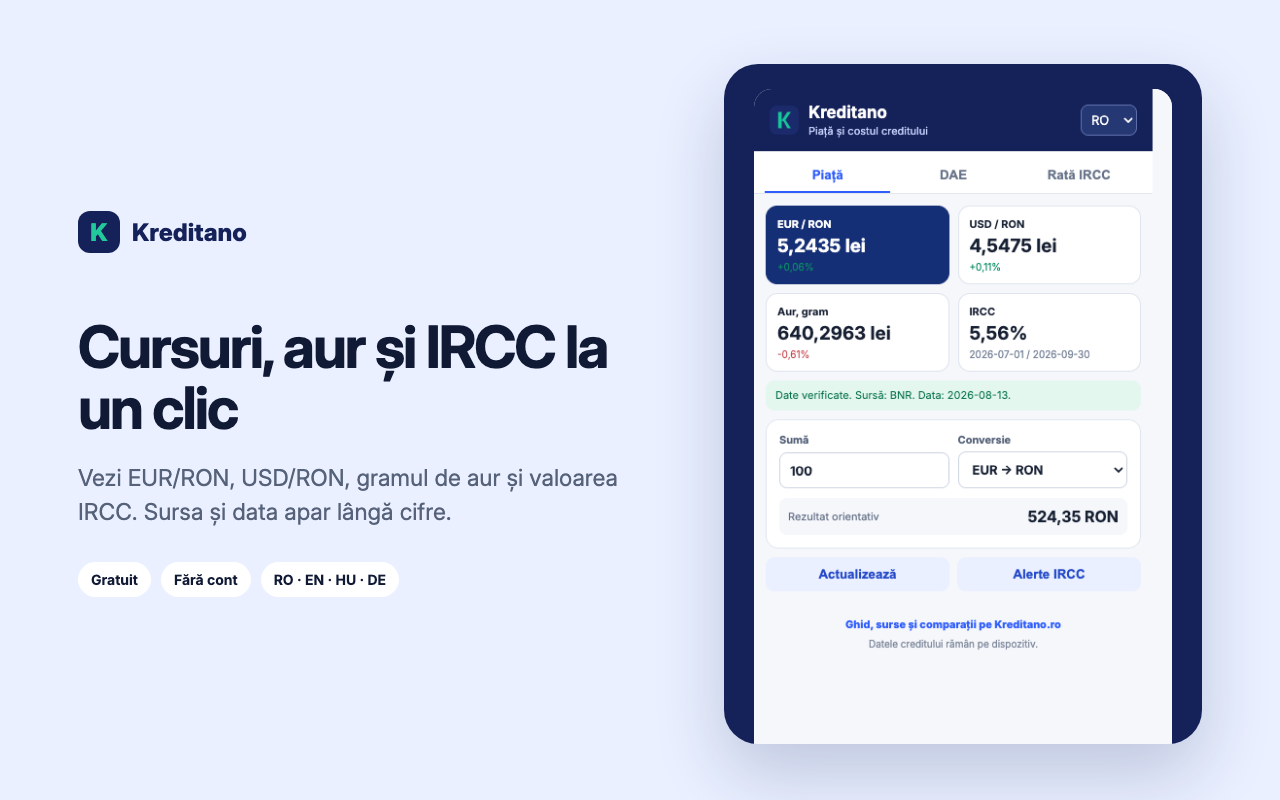
For daily checks
Four figures on one screen
NBR reference rates, the gram of gold and IRCC appear with their source and date. The extension warns you when the information needs refreshing.
USD/RON at the NBR rate
Indicative gold price per gram
Applied IRCC and its period
Fast conversion without another tab
Enter an amount, choose EUR to RON or USD to RON and get an indicative result using the value shown in the extension.
Source and date beside the figuresWarning when data needs refreshingRefresh only when you request it
Install the extensionWhen comparing a loan
The real cost includes fees, not only the payment
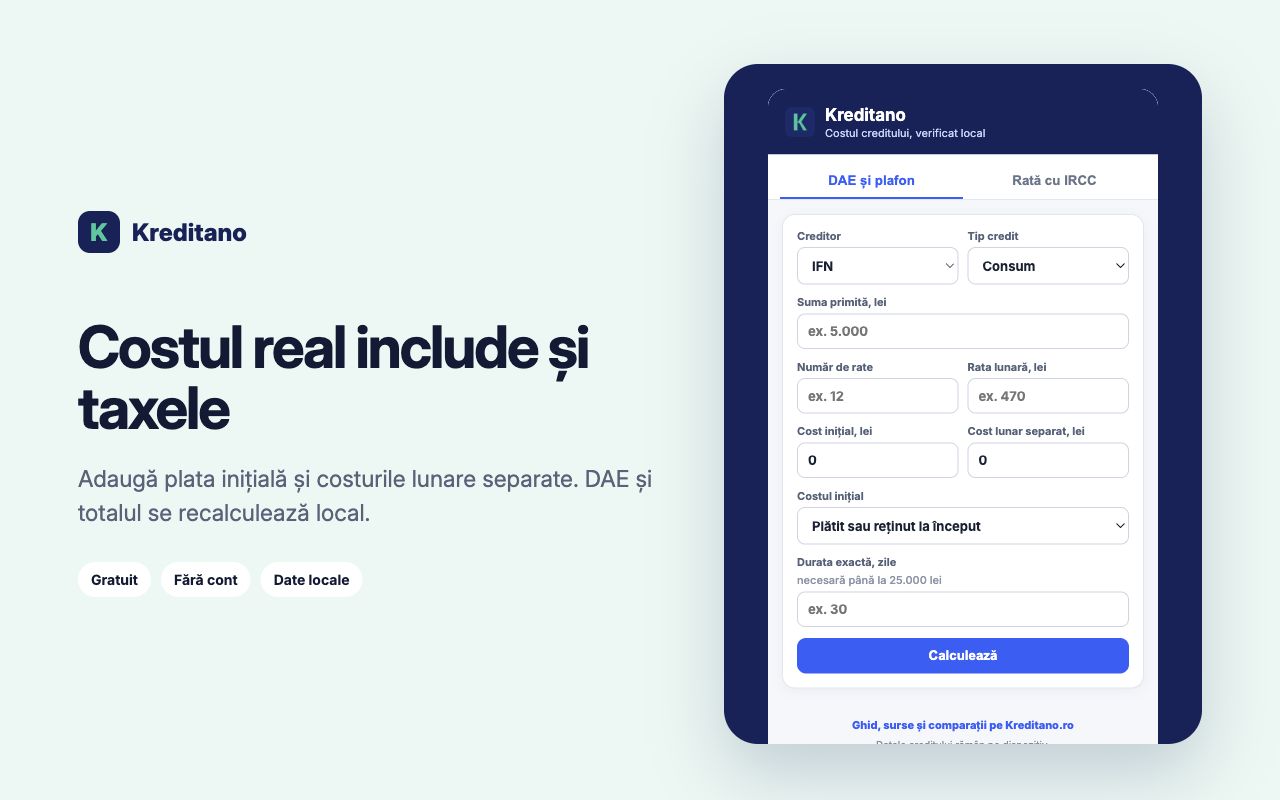
The APR tab combines the initial payment, monthly charges and instalments. Banks and NBFIs follow different questions, and the extension does not invent a legal result when the input is insufficient.
- Estimated APR
- Total payable and total cost
- Daily cost for the relevant segment
- Explanation when a check does not apply
Roman Dumitrescu, former BCR analyst: “Daily rates are useful often. For a loan, however, the payment alone does not reveal the total cost.”
IRCC
RON
IRCC simulator
See the difference in lei
Remaining balance, bank margin and remaining months produce two comparable scenarios. The next value appears only after the quarterly calculation is complete.
IRCC ↗Control and privacy
The extension asks for little and explains why
It does not read browser history, enter bank accounts, or request a name, email, phone number or personal ID. Loan amounts are processed locally.
Permission for kreditano.ro retrieves only public NBR, gold and IRCC values.
Figures entered in the calculators stay on the device.
You can start a refresh manually from the extension.
Installation takes less time than checking a rate
Add the extension
Open its Chrome Web Store page and confirm installation.
Pin the icon
Keep it beside the address bar for quick access.
Choose a tab
Use Market for daily data, APR or IRCC Payment for a loan.
Frequently asked questions
Is it free?
Yes. There is no account or subscription.
Does it work in Brave or Edge?
Yes, in Chromium-based desktop versions. Chrome on a phone does not run extensions.
Where do rates and IRCC come from?
Rates and IRCC come from public NBR sources. The screen shows the date used.
Does it read visited pages?
No. You enter loan figures manually and the extension does not request general access to open pages.
Does the APR result replace the contract?
No. The ESIS, repayment schedule and lender contract remain decisive.
Kreditano Chrome
Add to Chrome for freeA small tool for financial questions that come up often
Install it now. The first check needs no account or personal data.